Input Data Error Messages
Numerous error messages may appear when using ProntoPCR. These are designed to guide the user into selecting the correct option or ensuring the correct data is inserted/used etc. If an error message appears within the app that is not described in the below section, please submit a screenshot of the issue and any information about how you got to this error in Github: GitHub Issues. Please cover/anonymise sensitive information.
Input Data Tab Errors
When uploading your CSV file to ProntoPCR, it must meet certain requirements. If the file does not comply, error messages will prompt you to adjust the CSV file accordingly.
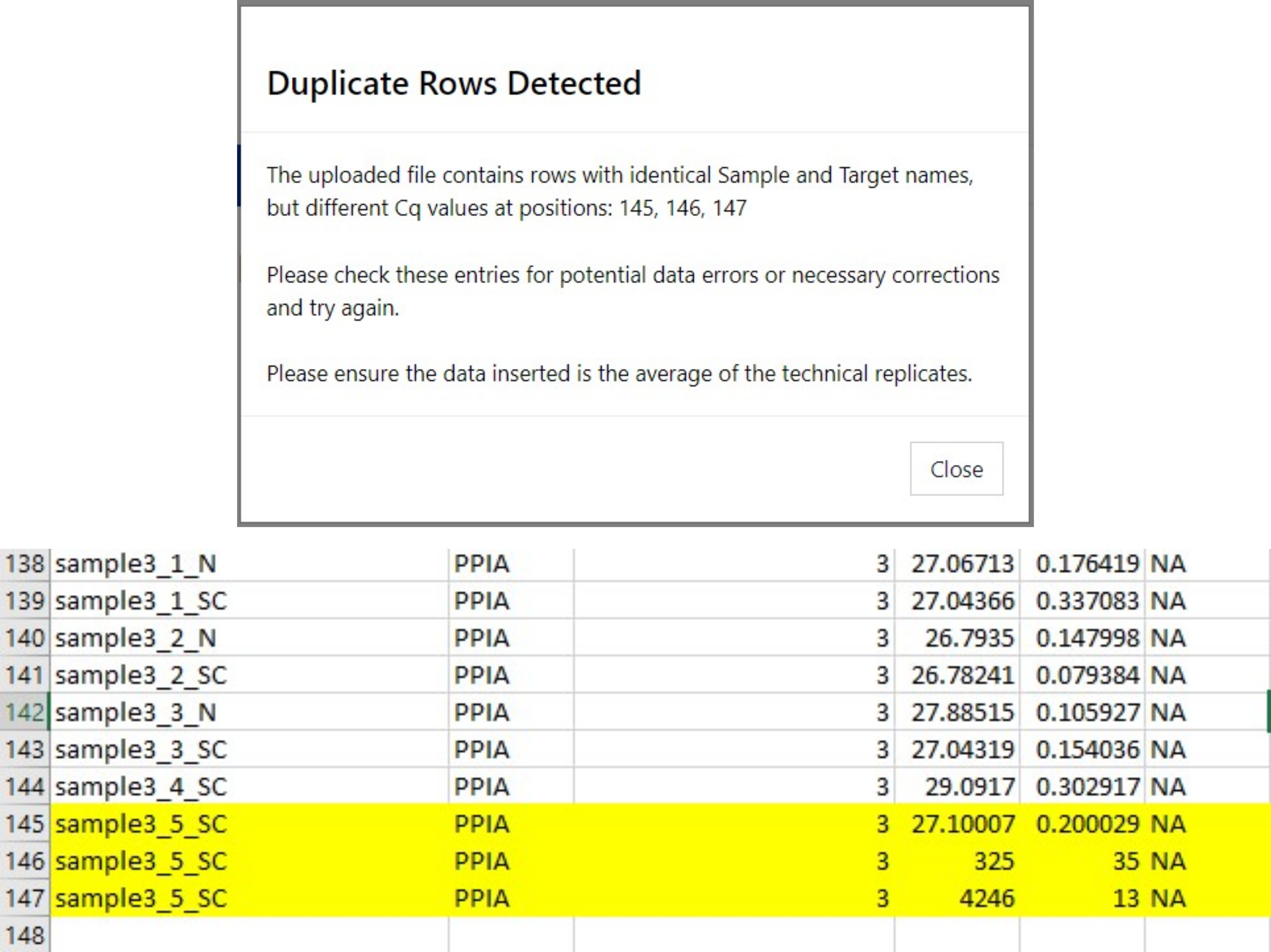
Duplicate Row Detected:
Often this error appears when inserting a file that includes technical replicates of PCR data. Please average these technical replicates and insert the averaged data. There should only be 1 sample for that gene in the file.
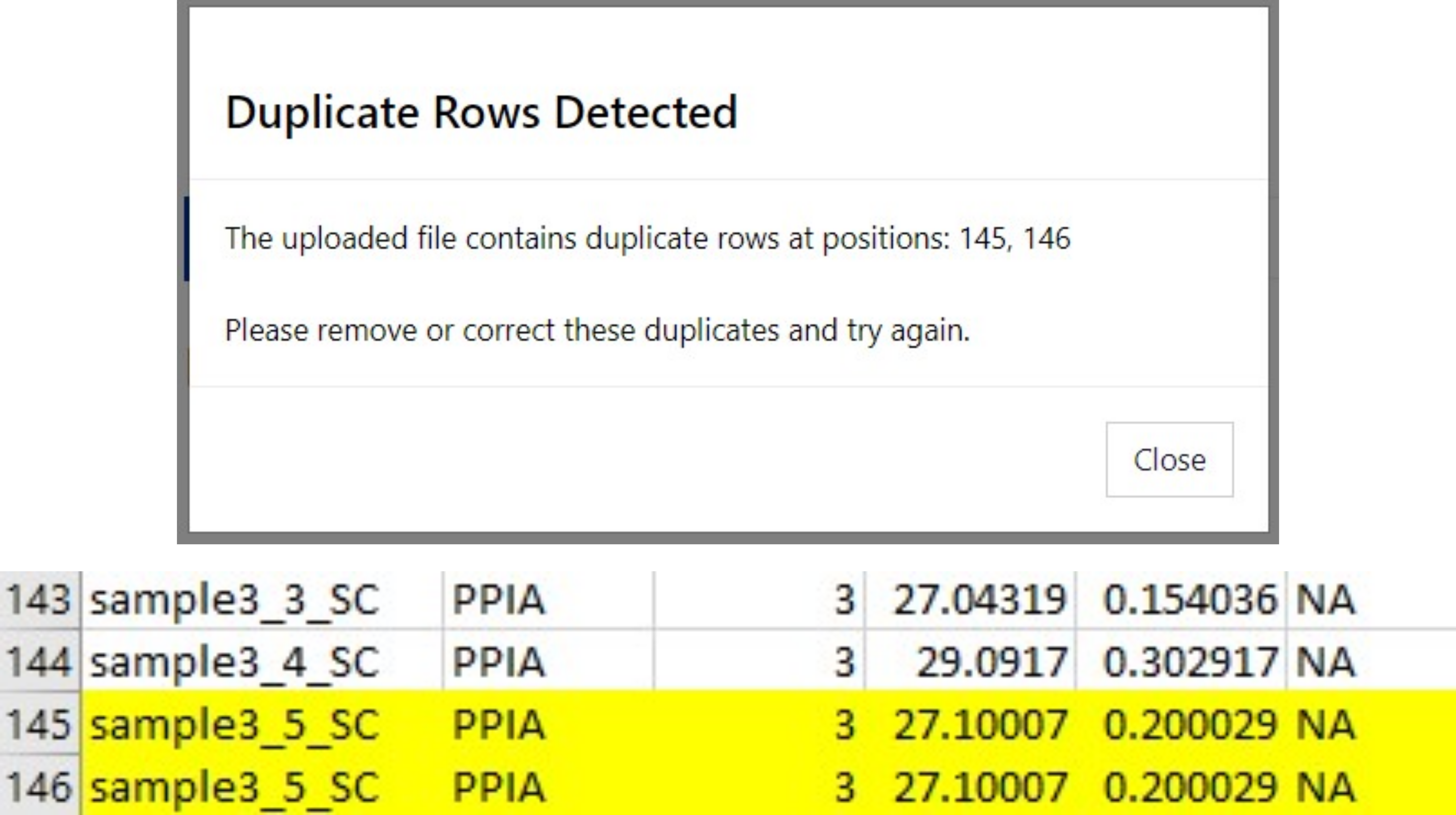
Duplicate Rows Detected:
Two or more rows in the .csv file are identical. Remove the duplicates.
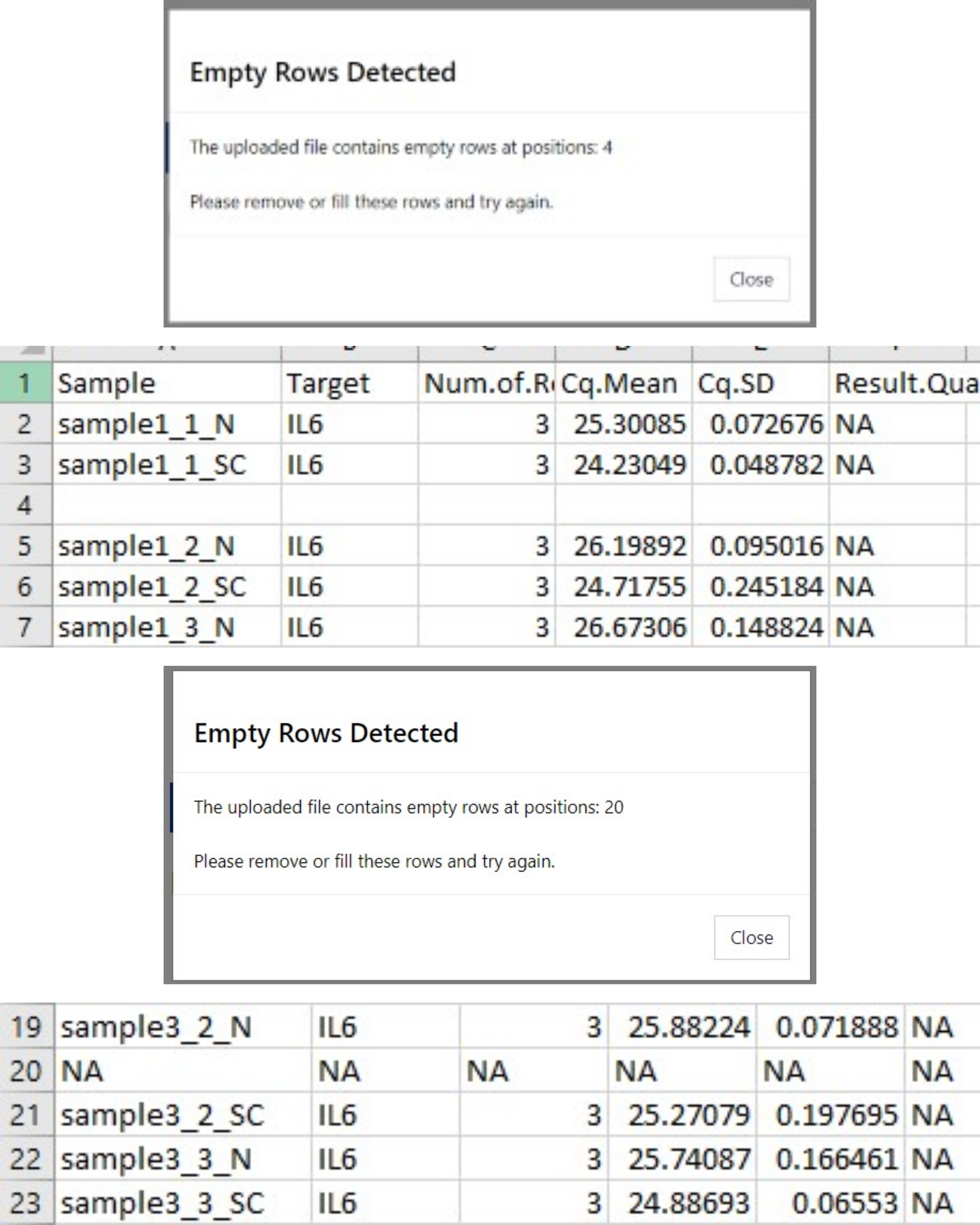
Empty Rows Detected:
Remove empty rows or NA rows to fix this error.
Error in uploaded file:
This appears when there is a discrepancy detected in the column names. It will prompt the user with the problematic column name. Correct the column name to resolve this issue. 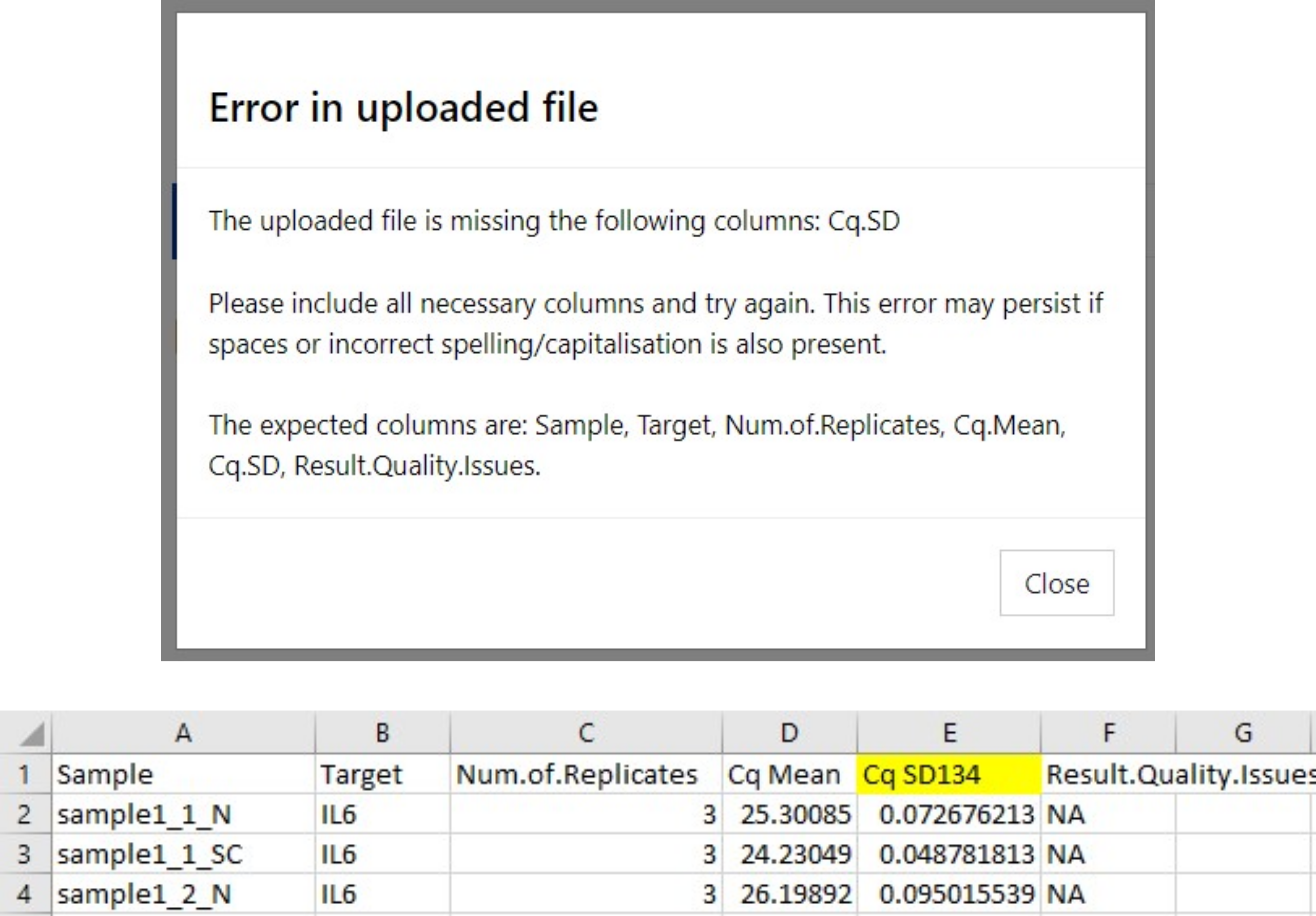
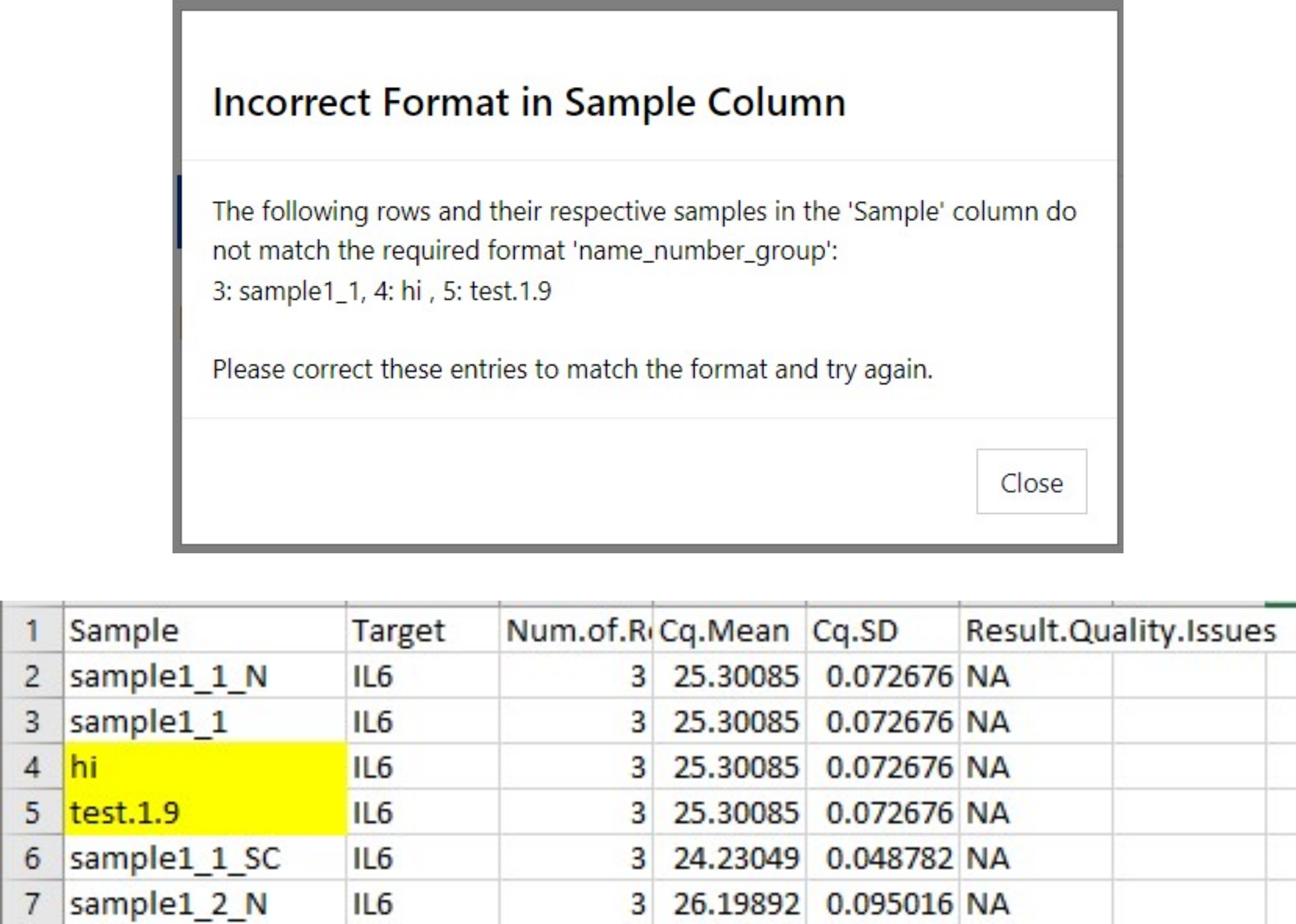
Incorrect Format in Sample Column:
An error appears if the samples within the Sample column are in the incorrect format. It should be in the format name_number_group. See the Input Data section for more information.
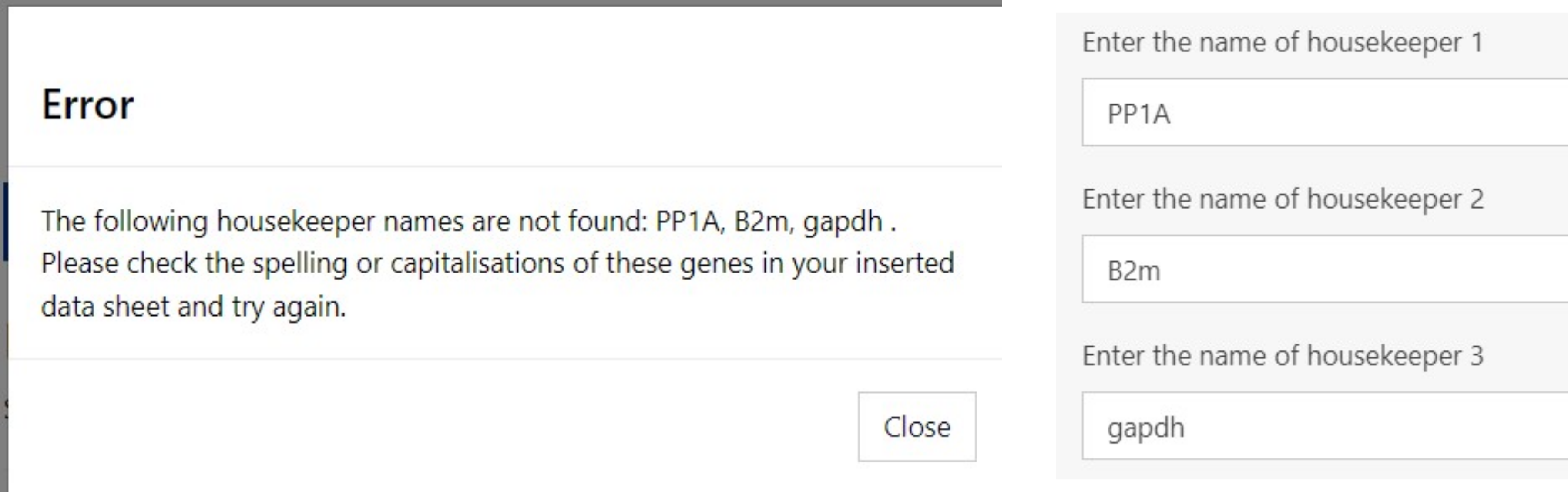
Error: The following housekeeper names are not found:
Appears if the spelling, capitalisation etc does not match the gene present in the Target Column. Rename the gene in the csv file, or alter the inputted name. If all genes are matched, they will appear in the side panel after pressing the Save Housekeeper Names button.
For error messages related to Statistics and Graphs, see the Statistics and Graphs Errors