Local Access (Recommended)
For New R Users:
Download R and RStudio (Free).
Open RStudio
Within the Console, type these pieces of code. After each line of code, highlight the line, or ensure the cursor is on the line of code. Press control/command enter to run it:
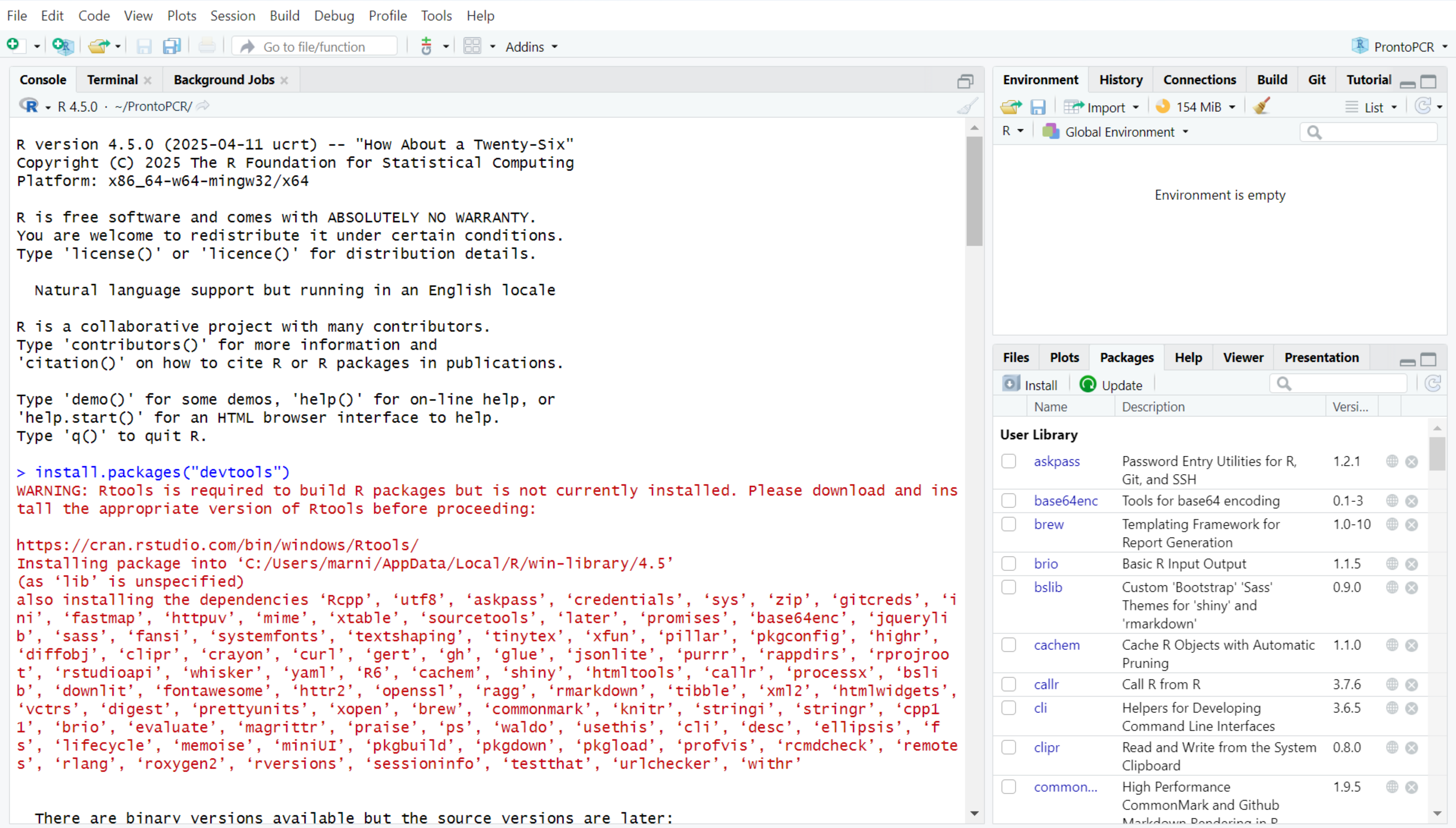
install.packages("devtools")Once the installation has completed, a > will appear in the console. It will say something similar to ’the downloaded binary packages are in …`
It may ask you to download Rtools, but this is not necessary to use ProntoPCR. Disregard this message.
Click to Expand
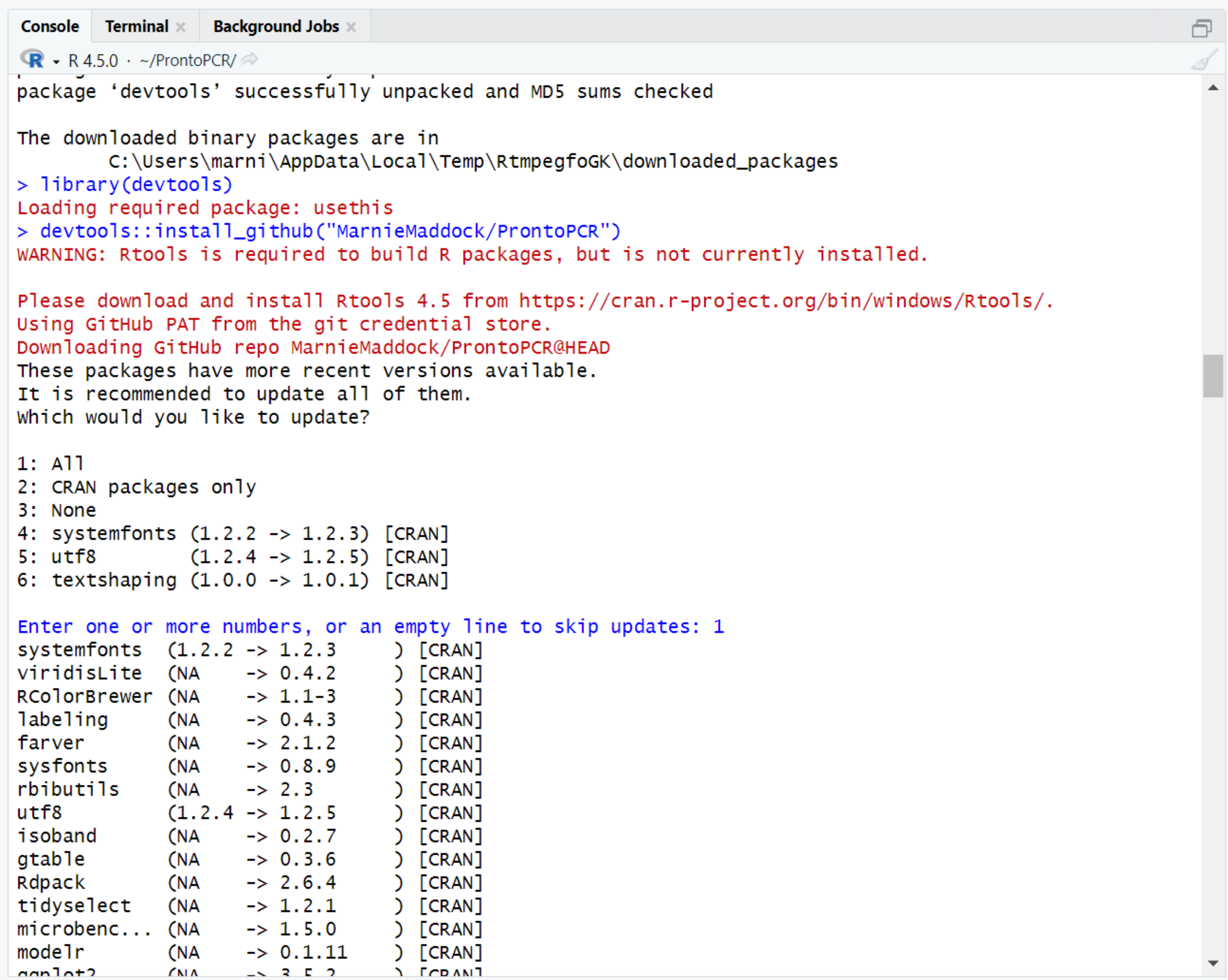
library(devtools)devtools::install_github("MarnieMaddock/ProntoPCR")This will download the ProntoPCR app from GitHub. It may ask you to update some packages. Press 1 and enter to update these. If this message does not appear, the required packages are up to date.
Click to Expand
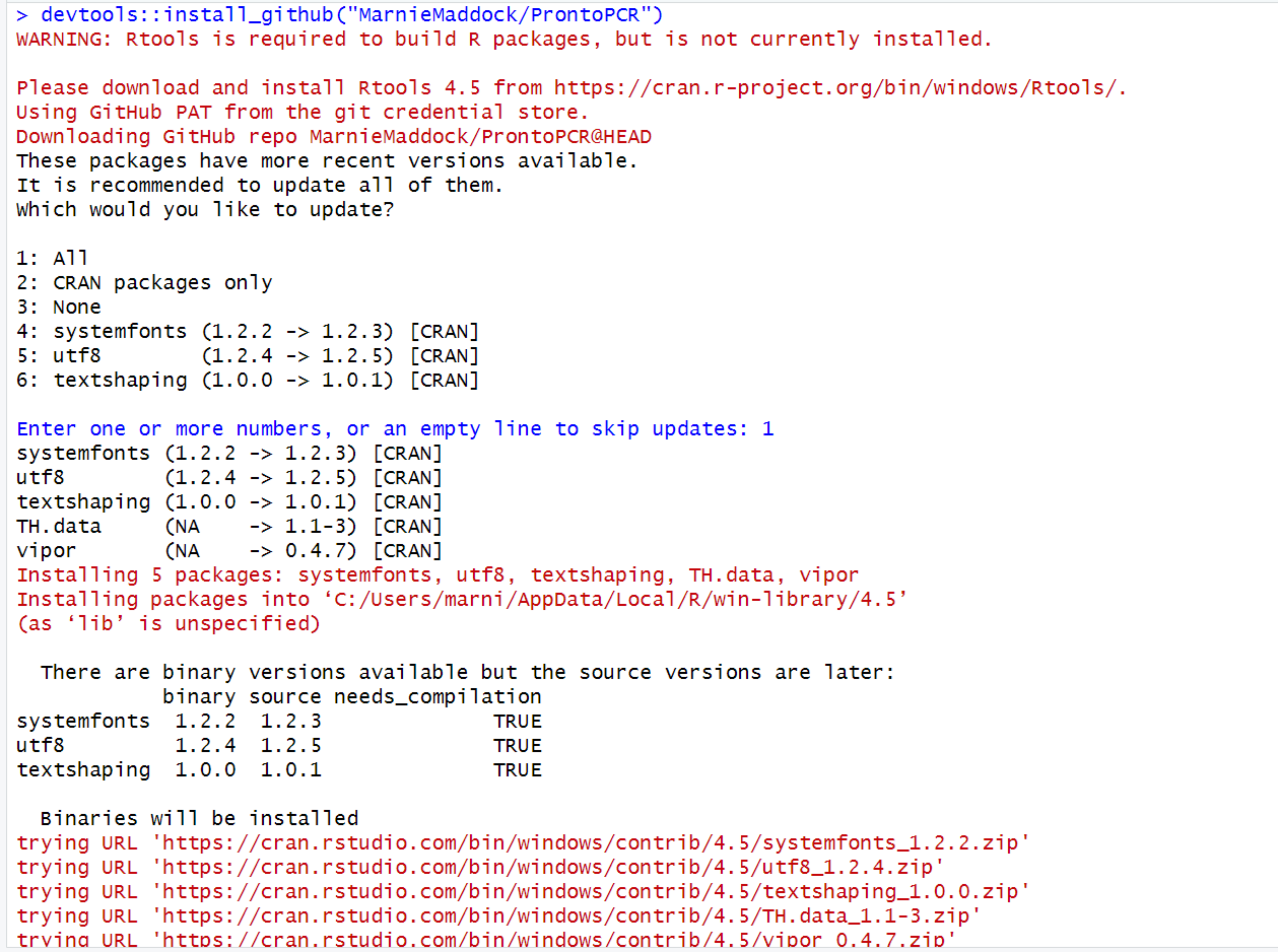
Occasionally, a pop-up message may appear asking to install from the sources the package which needs compilation. If it does, please press “Yes” to continue. This dialog box doesn’t always appear, and it’s not an issue if it doesn’t.
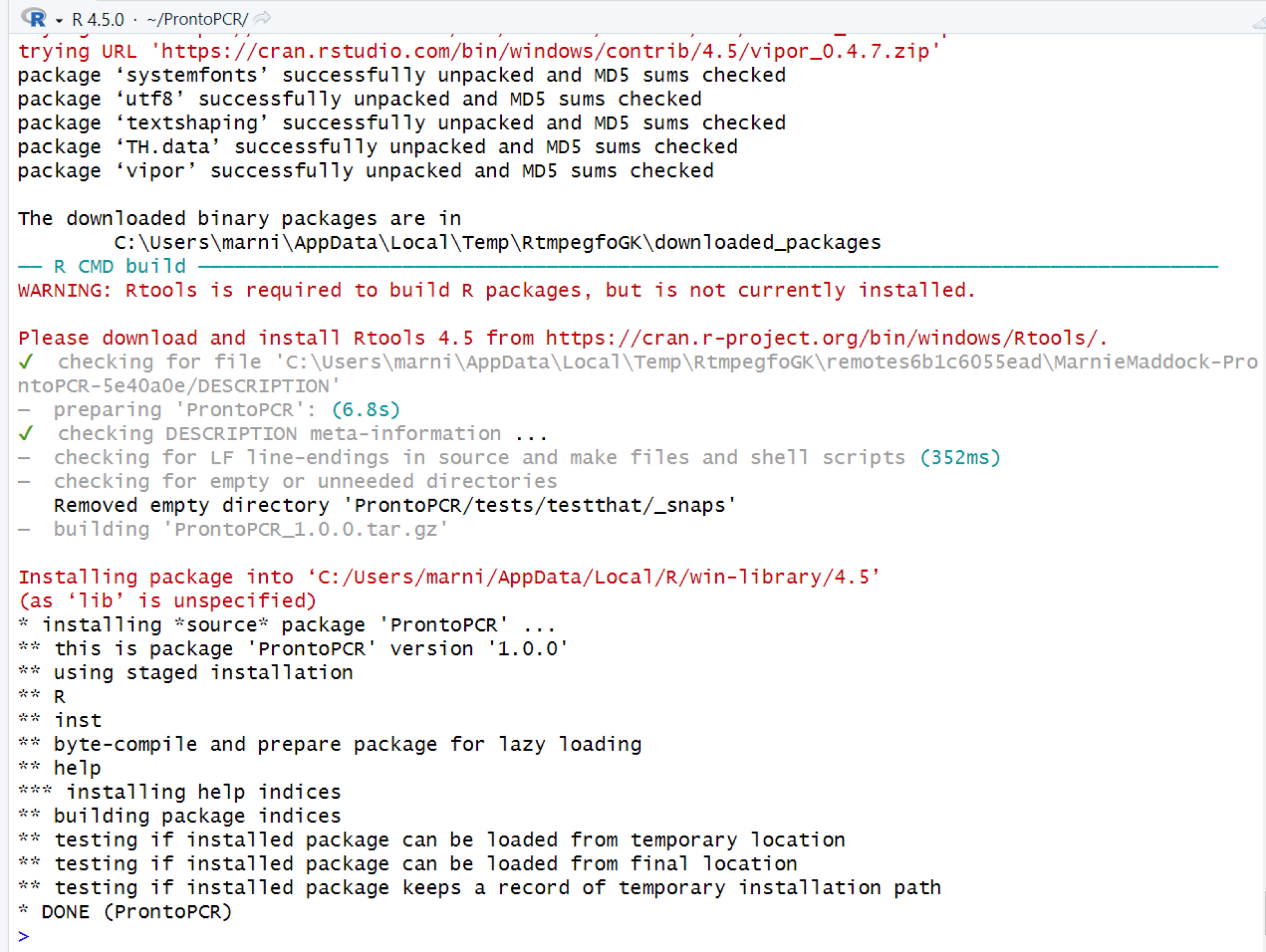
Once the installation has completed, a > will appear in the console. It will say something similar to ‘* DONE (ProntoPCR)*’
Click to Expand
ProntoCPR has been downloaded, but it has not been loaded into the R session. To do this, type this line of code in the Console and press control/command enter to run it:
library(ProntoPCR)This itself will not open the application. To open the application, run:
ProntoPCR()This should open the ProntoPCR app in a new window. If not, the http address given in your console following “Listening on” can be copied into a web browser to open ProntoPCR.
Click to Expand
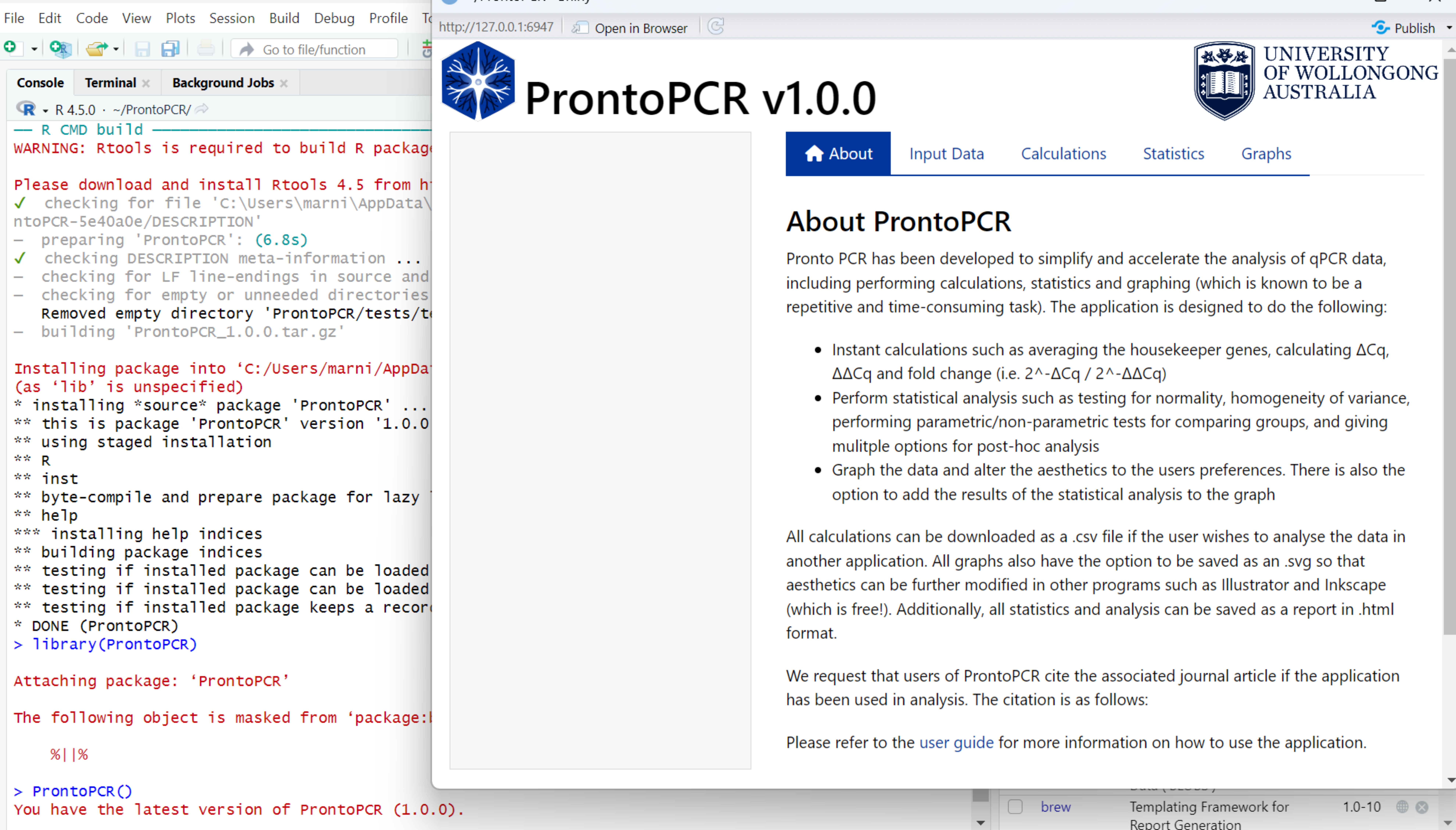
Once Installed:
Once the devtools and ProntoPCR packages have been installed on the computer, they do not need to be redownloaded unless there are updates. To run ProntoPCR in a new session use:
library(ProntoPCR)
ProntoPCR()
For Existing R Users:
- Open RStudio and Run:
install.packages("devtools")
library(devtools)
devtools::install_github("MarnieMaddock/ProntoPCR")
library(ProntoPCR)
ProntoPCR()- ProntoPCR will open in a new window.
Troubleshooting Installation
Occasionally, installation from GitHub may fail on macOS systems or on computers connected to university, hospital, or corporate networks. This is usually due to network security settings or download method issues - not a problem with ProntoPCR itself. If installation fails, try the following steps. In the R Console, run:
# Install devtools package if not already installed
install.packages("devtools")

# Set download options
options(download.file.method = "curl")

# Install ProntoPCR from GitHub
devtools::install_github("MarnieMaddock/ProntoPCR")

# Run the application
library(ProntoPCR)
ProntoPCR()
If you continue to experience issues: please report it on the GitHub issues page.